Stop Running Production on Paper: Acumatica Shop Floor Kiosk
Two weeks ago, in the Acumatica 2026 R2 review, Pete and Nirav said every manufacturer with shop floor activity should probably have something like Acumatica's shop floor kiosk. Pete admits that's quite a big claim, so this week they put version two of the kiosk on screen to see…
S04E23 · 43 min
Episode notes
Send us a message about this episode!
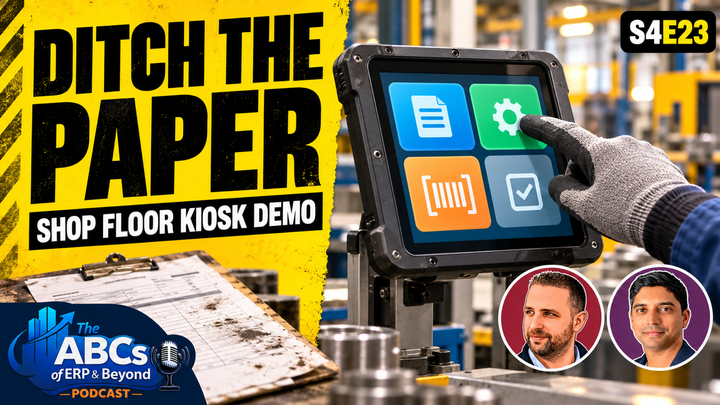
Two weeks ago, in the Acumatica 2026 R2 review, Pete and Nirav said every manufacturer with shop floor activity should probably have something like Acumatica's shop floor kiosk. Pete admits that's quite a big claim, so this week they put version two of the kiosk on screen to see if it holds up. Nirav Shah of AdCirrus ERP drives the demo, and Pete asks the questions an operator, a supervisor and a data person would ask. It's a screen demo, so it's best watched on YouTube.
In this episode:
- Pen, paper and Larry: how shop floor time actually gets captured
- Why consumption pricing puts operatives on the ERP, and why they don't want a desk
- What a work centre means in ERP terms, from cost centres to stage gates
- On hand vs available for issue, lot and serial capture, and clocking into more than one job
- Real-time labour costing, and a morning report of what the night shift did
- The kiosk's current gaps, honestly
- Rollout: kill the old process, support nights, own the data, pilot one work centre
Hosts: Peter Nicholson · Nirav Shah (AdCirrus ERP)
No sponsors, no adverts. Full transcripts are now on abcsoferp.com, should your AI agent fancy a free implementation.
Transcript
The speaker labels and timings come from the edited Riverside transcript.
Read the full transcript
Peter Nicholson (00:24)
And welcome back to the ABCs of ERP and Beyond, the podcast all about enterprise resource planning and how it can shape modern manufacturing and distribution businesses. And if you caught our Acumatica 2026 R2 episode that came out two weeks ago, we spent a few minutes talking about the shop floor kiosk now version
Nirav Shah (00:45)
Yeah.
Peter Nicholson (00:45)
two that we see in 2026 R2. And we said at the time that every manufacturer with shop floor activity
should probably have something like the shop floor kiosk. Now that could be seen as quite a big claim. So today we are going to have a look at that shop floor kiosk in a demo environment and we're going to be seeing what is involved, what it can do for us at the moment and why we think that something like a shop floor kiosk would really help manufacturers and operatives on the shop floor themselves. So without further ado, Nirav, welcome back.
Nirav Shah (01:20)
Thank you, Peter. Happy to be back and continue our kind of research analysis and demo series on Acumatica and aspects of Acumatica that I feel that we feel are worth sharing with the ERP community. Because Acumatica does some pretty pretty cool things. And this one specifically, the shop floor clo kiosk.
I think is a is is a great product from the standpoint that it just does it and it does it well. It's easy. Really, really easy. And that's really what I like about it. It's not overcomplicated, and you know, the shop floor is such a tricky dynamic environment for any manufacturing organization, right? Some manufacturing organizations have some sort of maybe time collection system, i.e.
pen and paper. or they, you know, they backflush standard time, right? But it's not it's not real time. They can't compare actual to to budget. or it's tribal knowledge. I know Larry worked on this particular work center for the last hour. Right? Larry's not documenting his time. Larry, you know, it's just somebody else knows it and then they go ahead and update whatever system that they're using. So
You know, more or less smaller manufacturing companies I think are going to benefit from this podcast immensely if they're looking to streamline their shop floor data collection process to see where you know how much it's actually costing for them to do so, how long it's taking to actually do a certain certain type of activity or function or task in their manufacturing process. So this one is a good stepping stone, I like to say. It helps you where if you're doing nothing right now.
as
a manufacturer helps you do something with a very lightweight client that has or Acumatica's taken into account clocking in, clocking out, passing quantities, issuing material directly through the shop floor client, scrap, serialized items, serial numbers, blot numbered items, you could it's it could supported of that. and it's easily installed on all the machines. It's all web-based, right? It's
A quick URL link, you got you need access of it inside Acumatica, so then you could access it through the shop for kiosk here and then start using it. It's really plug and play. There is no true quote unquote setup outside of making sure your users you have specific shop for users that could access the kiosk itself. So this is this is one that I think a lot of companies are gonna benefit from. Like I said, whether you're a brand new company exploring.
shop floor or you're a company already using it, but you're using something that you feel like is too big for you. It's not it's not easy to manage, right? This is something that you should definitely take a look at in the Acumatica module list that you know this this this could be something they could easily start up and and fire up and start using right away.
Peter Nicholson (04:36)
This is the most important aspect of a new module or a new feature. Immediately you've got to ask yourselves, well, what problem are we actually trying to fix? What are we actually trying to solve before I go and buy this thing? And this particular area of a manufacturing business, I think, is where
you often see a lot of the legacy processes or leg legacy mindset still around, right? Paper job sheets, paper job travelers being handed backwards and forwards, often between the shop floor to the shift supervisor, and also into the back office as well. And oftentimes
Nirav Shah (05:13)
Mm-hmm.
Peter Nicholson (05:13)
they're on different levels, definitely different offices. and the risk to losing a job sheet could mean that that.
order isn't made on time, isn't shipped on time, is you know, redone, like a a new production order raised, tying up more raw materials. and I think something like a paper based system that's going to ha go through multiple hands, there's so much risk there that this just com completely gets rid of. and I think the other thing is the end users like writing down labor.
How many times have we seen that it's often on a piece of paper or onto an Excel spreadsheet or something like that? And it's just another piece of physical paper that one doesn't need to exist because of the
risk around it. it's slow and there's better
Nirav Shah (06:05)
Yeah.
Peter Nicholson (06:08)
ways of doing it. and I think for me, the third one, specifically for the shop floor kiosk, because I've witnessed this firsthand, is when you're looking at migrating to
Acumatica, specifically Acumatica, I would say the beauty of Acumatica is the fact that it has that consumption-based pricing. You don't now have to worry about named user licensing, which means you get the opportunity to have everyone talking to the same system. Everyone can have access to the ERP, right? And I think shop floor.
Operatives are the ones that are often most distanced from the ERP system anyway. and we always know like you know, that the people that know the job the best are the ones that are closest to the work. So of course when we go in there and try and sell them this wonderful ERP, the first thing it's gonna say is, so I'm gonna have to now sit behind a desk and plug in lot, you know, and and now I'm gonna have to get trained on what buttons to click and what screens to go into.
Well, the shop floor kiosk, which we'll see in a second, has been designed around operatives that just need to see what they care about, it needs to be clear, it needs
Nirav Shah (07:26)
Yeah.
Peter Nicholson (07:27)
to be easy to navigate. and and one of the things I would say is often in a shop floor environment where it's noisy, messy, maybe they've got gloves on, the ability to have this on a touch screen and be able to navigate w your way through Acumatica.
without being chained to a desk is a major selling point for me for the shop floor kiosk. So I'm looking forward to at least exploring some some bits of it. I know it's still in development and we're still playing around with it, aren't we? but I think this is going to be really interesting to step through what it's capable of now. and hopefully we can give some people some ideas of how this could really benefit their shop floor.
Nirav Shah (08:14)
Yeah, I exactly. And this is this is one where Acumatica is investing a ton of money into. really, you know, creating this this this really what I would say well thought out manufacturing addition for Acumatica. And you know, this is is part of it. And I think everyone can see my screen at this point. we have Acumatica showing, we have the shop for client showing here. So this is it.
Right again, simplicity is really at the forefront here for Acumatica. They wanted to make it simple for the shop for users. As soon as they come in, they see this as their homepage. Right? It's it's a browser-based system. On one side I have share here, one side I have Acumatica as a tab. Okay, this is Acumatica or Acumatica instance, and then I have the shop for TS a separate tab. So
For
for the purpose of today's demo and talking through the kiosk, we'll mainly just stay here in the kiosk itself. There's probably one or two things that we could look at inside Acumatica, but we'll today give you, you know, just to lay out the expectations, we'll today give you a a very detailed look at the kiosk. Will it answer all your questions that you have about the kiosk? Most likely not. We'll try, you know, we'll try to do the best we can here. however, you know, we we wanna share.
with you the features it does have, right, out of the box and where
And if you're interested in seeing this afterwards, then you know both Peter and I are available to help you evaluate this solution further. But this is one where you may you might be digging deeper, saying what what else is there? What else is there? But pull back a little bit and say, well, what is the operational user really need to do their core job?
And that's the lens that Acumatica took when they put this thing together a couple of versions ago is how do we just make it simple? Now, if you're a manager listening to this or you know, a VP chief COO and you want more information about well, can I get some sort of utilization report? Can I get any type of report on exceptions that are happening in the shop floor? How do I know where all my production ours are? And you know, what is what is a what is a roadmap look like for my production orders?
What percentage complete am I? Some of that resides in shop floor, and then some of that also resides in Acumatica, right? So the purpose of this client is for that operation user, that works center user, the machine center user that needs to quickly get in and out of the terminal so they can start recording time, but not be bogged down with all the maybe additional detail that doesn't add value to them in in what they do on the shop floor. Okay. So
This is the shop for client. You're gonna see there's mainly just four options here. You have work and process, you have work centers, production orders, and recent activity. Okay. as let's say if I put myself into the worker shoe, the shop floor user shoe, I basically am living in here all day, every day. So I want to come here and see, okay, what's what am I what am I already logged into?
What work centers maybe do I need to bounce around to and see what production orders I need to go ahead and pick up? What production orders are there in general out there that maybe I want to work on? And then what's my recent activity here in shop floor? So just kind of looking at this at this screen, Peter, what do you think about just the menu structure? How does it feel to you? Do you feel like you know this is right the right direction for for?
companies
looking to implement shop for shop for a client that wants something at a very basic, basic level. Do you like the UI here from a design standpoint?
Peter Nicholson (12:25)
Yeah,
I do. And I'm already thinking about what this looks like on a on an iPad or some kind of Android tablet on a shop floor, right? I don't need a desktop typical desktop ERP view with a bunch of menus and drop downs and stuff like that, especially if I'm on operative. I'm probably someone that's not experienced with maybe no experience at all with an ERP. Maybe no experience at all with operating a computer.
Right. I if I'm if I'm a fabricator, all I've known is fabrication. Right. I've never had a desk I've never had a desk job. The last thing I want to do is to sit down trying to navigate with a mouse and keyboard through any RV. so
Nirav Shah (13:07)
Right.
Peter Nicholson (13:07)
I really like the simplicity of it. especially if this is this is version two. So I think Acumatica are gonna continue really putting the UI as the main focus of the shop floor kiosk. We know that they do that for the
the main ERP anyway. It's always been very, very strong on UI and UX. A lot of people choose Acumatica
Nirav Shah (13:27)
Right.
Peter Nicholson (13:29)
because it's so strong on UI and UX. and we're seeing the same approach here on the shop floor kiosk. so I, you know, it it may look simple, but honestly, if I try and put my mind into someone on shop floor, I don't want a load of shit that I have to deal with, right? I just need to do my job. I don't want to
Nirav Shah (13:45)
Yeah.
Peter Nicholson (13:49)
be, you know, I don't want to end up being a data entry clerk, right?
Nirav Shah (13:53)
Exactly.
Peter Nicholson (13:53)
So
if I have something like this, fine. This is manageable for me so far.
Nirav Shah (13:58)
Yeah, yeah, absolutely. I agree with you. Modern client, right? And you see the icons are a little bit more rounded here. They're not boxy. and it's really easy on the eyes. You know exactly what you need to do. So let's just say I want to look at my recent activity. What have I done in the in today?
And it's gonna share with me things I've done, right? It's I clocked in over here, right? for the past seven days I've clocked in and started these production orders and these operation centers. Again, really very simple, very basic. Okay, it's not giving me quantity, it's not giving me time, it's not giving me any of that stuff. It's just telling me where I clocked in and where I clocked out. Okay. Over here. This home button takes us back to the home site of the kiosk.
I could then see if it was work in process. I could go and look at and we'll do one here so you can see anything that we've started that you want to go back and see here in work in process. But I'll go into work centers. Work centers here just gives me a list of all my work centers that I have out there in Acumatica. Right?
Any work centres that have been set
Peter Nicholson (15:01)
let me
Nirav Shah (15:02)
up.
Peter Nicholson (15:02)
let me ask one thing here. Because I'm really trying to think of a small manufacturer that's maybe this is also their first ERP. So they're also having to handle all of the back office ERP stuff. I've I what a work center for an ERP. Right? I've got a lot of production lines. Now we're talking about work center in the ERP sense. So what do we mean by this?
Nirav Shah (15:27)
So, work centers in the ERP centers are what we call like cost centers. It's gonna be these areas and/or machine or machines that basically you want to record time and cost against the production order. So this is an important milestone, what I say, in your manufacturing of a product.
That you want to understand what the cost implication is to manufacture or send this particular product through this area or group of machines or specific machine and how much it costs in relation to the roll-up cost of the finished good at the end of the day. So that's really what I like to I like to
Peter Nicholson (16:15)
Okay. Fine. Yeah.
Nirav Shah (16:19)
say. But I've seen you know customers have also put put work centers in that could be just quote unquote phantom.
Right. They're really not doing anything, but they need a space. They need they need an inspection. They need to do, you know, some sort of small activity that just takes a quick quick second or two, but they want to identify it at that level so you know exactly where things are in the process, right? It's it all depends on how granular you want
Peter Nicholson (16:46)
Yeah. Like a stage gate.
Nirav Shah (16:49)
your exactly, yeah. Like how granular you want your your routing versus how kind of
high level you want your routing, right? Like only you want to put the steps in that you wanna record time and labor and stuff like that, right? Instead of instead of the other things. So it's really dependent customer to customer or industry by industry, right? Really if you're ISO certified, you're gonna have you're gonna have a lot more granularity in in what your routing looks like and the different files and comments and things you put on the operation steps. but then you may also you know have a certain area where it's more kind of assembly line oriented where you don't want
you know, every single specific assembly, you just want to consider when it comes to this desk, if you will, that's gonna be called assembly order. Now someone in that desk could be doing could be could be wrapping, they could be, you know, rubber banding something together, they could be, you know, writing something on a box, what have you, but you just wanna call that assembly because it doesn't matter. The people that work on that desk could be doing multiple jobs. So you just have one kind of
what
I call burden rate, right? Landed rate that you have for that desk that could be four or five people. And then, you know, whatever long it takes to complete that quantity through that desk is is, you know, kind of what we consider a work center. So it's really comes down to what your classification is for that works best for your business and how you want to report on.
Right. So here we could see work centers in the in the shop for kiosk. So if I were to say work center 30, well now it's gonna go and find some work center 30s. Let's go back, let's go back to work center and let's do maybe press binding, and we have one, two, three, four, five, six, seven, eight, nine, ten or so press binding work centers across these production orders. So if I want to quickly say, you know what, I want to jump to this.
Particular work center. I'm gonna start on that because the other work center, you know, the front office came and took that production order back because there's some bill material changes or whatever, right? But I know I have this next work center, so I'm gonna go and start the step. So I can select 89 that takes us into this production order 89 on this operation stop, tells me what I have to produce, tells me what's remaining and what's been scrapped to date on this production order. Okay.
So this is again real-time information that you're seeing, and the status is released is not completed. Okay, the one one maybe downfall or one gotcha with this solution is that you also see completed production orders. Maybe you don't want to see that, right? Maybe you just need to apply a filter, but you know you could you do see that out of the box. So I could select this operation, and here you'll notice I get to kind of the the the real meat and potatoes of this thing. Is I'm starting the operation.
And I could tell that I'm starting the operation because this is the last operation in the production order. So remember, anytime in Acumatica, when it's the last operation in the production order, you're gonna output inventory. So whatever you enter here is gonna be output in inventory, update your sub ledger, update your cost, right? And that type of thing.
Now, this raw material, you may backflush inventory, you may manually issue it, right? A lot of different types of decisions that you could make up to this point and configuration here. but you could see more information here, right? You could see all your routing, you see, you could see materials that you want to go ahead. you could see what you require, what you need to issue, what's on hand. This is a biggie, right? What's on hand?
So you could you could decide that I'm gonna go and issue this right now or I'm not gonna not gonna issue it? Okay.
Peter Nicholson (20:41)
Well,
I mean th the best one for me there is quantity available for issue, right? I might physically see, look, it's fine guys, we've got an entire palette of this stuff. I'll go and take from it. but you might not be able to. It might be for something else. So to
Nirav Shah (20:53)
Yep. Exactly.
Peter Nicholson (20:55)
actually see what's available, I can actually I can confidently know that I can I can take this raw material.
Nirav Shah (21:03)
yeah, now you know maybe some sometimes some people may say that we have we have issues where we need to see inventory across
Multiple locations, maybe some locations we can't pull inventory from, right? Now we could get into those conversations and then those customers may may go ahead and and see, like, you know, why can't we want more detail? We want more information. Well, fine, right? Then we'll have to look at maybe adding that to the kiosk, but the kiosk out of the box gives you what I call good high-level detail. So that person is not stopped on their tracks. Right. Now, if you've implemented advanced warehousing, maybe that might be problematic.
know, doing this. If you have advanced doorhousing turned on, you have picking, you have all these other things there. you know, it it it could it could it could go ahead and and cause some issues.
Peter Nicholson (21:56)
I think that's quite good for material handlers as well. So if they're receipted in and you know, they're transferring raw material around and they find, you know, someone's ran into some stock with a with a fork truck, right? They can do
Nirav Shah (22:10)
Mm-hmm.
Peter Nicholson (22:11)
an engine inventory transfer into a quarantine bin and then on your bin setup in Acumatica, you can uncheck that the quarantine bin can be
be issued from right so so for example
Nirav Shah (22:23)
Exactly.
Peter Nicholson (22:24)
that that first row of this example products we've got the side panel right we we physically got 76 quantity available for issue 72 so that's already you know confidently we can say we can we can take that for issue because imagine if we had quantity on hand 86 but only 72 we know that we've got four
Nirav Shah (22:44)
Mm-hmm. Mm-hmm.
Peter Nicholson (22:46)
for this but we've got another 10 somewhere in the warehouse that aren't available
and we could find that they're actually in a quarantine bin. That's what I would like to see here. just a way to get a little bit deeper, like you said. Like I'd like to drill one more into it. So I can just
Nirav Shah (23:01)
Mm-hmm, mm-hmm.
Peter Nicholson (23:02)
kind of sense check, I guess. Or maybe a way to see where it is.
Nirav Shah (23:06)
Mm-hmm.
Peter Nicholson (23:10)
It could be up in the gods in the rafters. Like I'd like
Nirav Shah (23:12)
Right. Right.
Peter Nicholson (23:14)
to know like where it is.
Nirav Shah (23:17)
Yeah, hundred percent.
A hundred percent. And I don't s there's no way at the moment. Now they might be coming out with that in the kiosk in the next release or whatnot, but not at the moment. You know, we think again, simplicity here. I think it does I think this the kiosk does keep it simple for the user. Yeah, I could f if this information is available on hand and available for issue, right? That means that it's probably free and clear. I could go ahead and take it and go and consume it. So
I can just go and select the line. I could even update the quantity if I want to over-consume over here. Okay. And then see if I could issue it. Now there's gonna be validations in here saying, okay, hey, I'm gonna try to issue the material. Here are locations. Which location do you want to issue it from? Over here. Right? But again, are we getting to the level of saying, well, this location already has 70, you know, 70 pieces already assigned to an to another pick?
We don't get to that level here. We're just seeing what inventory is available.
Okay. So we can select the location. Mm-hmm.
Peter Nicholson (24:19)
And and look at that
sot as start lot and serial number. my god. It's like right there with the generate button. This is great. This is great.
Nirav Shah (24:27)
Yep, yep, yep, exactly. And you could generate it. Mm-hmm.
Peter Nicholson (24:31)
Especially for batch numbers and stuff like Yeah,
Nirav Shah (24:34)
Right. Right.
Peter Nicholson (24:35)
nice.
Nirav Shah (24:38)
So I try to go ahead and just issue this for, I got I got an error message here. I think probably because my serial number is not not set. Let me see if I go and generate something here and generate the serial number.
I'm hoping I have a serial number with this and on here. That's another thing. I can't see what serial numbers are on hand over here.
Peter Nicholson (24:56)
Yeah.
Nirav Shah (24:58)
Right? If I could see what serial numbers are available, then I could go and select one. But that's one of the probably drawbacks here is when you when you are a lot in serial control, you can't really get a good view of the actual serial numbers that are available for you to issue.
Steps is now probably, you know, if you wanted to add some additional steps, you know, on the router and and and base acumtica on the bomb and router, you could put steps on there. that would just show up here on the kiosk. Same thing with files. If you have any files and things like that, that'll show up here on the kiosk. now coming back to the production tab, I have two remaining. I have completed zero, and I've already put in
A minute 43 into this. That's the cumulative time to date that I put in to this production order on this specific step 20. Once I hit start, clock in, it's gonna go and start the timer. And you see that timer now start running 146, 147, 148. It picks up where where I left off last.
Okay. And then it says clock out before reporting quantities for accurate labor time tracking. Yep, we get it. Okay, so this could continue to run. I could go off. If I wanted to go off and like now work on another production order, I can. I could go back to my home screen and I have one production order in process here.
Peter Nicholson (26:24)
This is good actually because w
Nirav Shah (26:24)
Let's say I go mm-hmm.
Peter Nicholson (26:27)
because we know that factories and shop floors are always looking at automation for a modern factory, right? so as other investments are made,
Nirav Shah (26:37)
Yeah.
Peter Nicholson (26:37)
we know we know unfortunately some of these automations do mean overhead reductions. So if you are in a position where you know you have operatives that are actually looking after maybe two or three production lines.
This is quite good that they can continue to be like clocked into a job and also go to,
Nirav Shah (26:58)
Mm-hmm.
Peter Nicholson (26:58)
you know, another production line and clock into that one at the same time, right? And then they'll always be able
Nirav Shah (27:02)
Yep. Yep.
Peter Nicholson (27:03)
to track, you know, what's actually well including the title, right? Work in process. So it's quite nice that
Nirav Shah (27:09)
Mm-hmm.
Peter Nicholson (27:11)
we have that ability.
Nirav Shah (27:14)
Absolutely. So if I could go into another production order, let's say I come into this, go to my production order list now, which gives me a list of all my production orders that have so far in open in Act America. And this is probably another thing that you know could probably be updated here, showing us all production orders regard you know in all statuses, in process completed. But what I probably want to do is just show released, maybe you know, in process. I don't want to see completed, I don't want to see closed or anything like that, and and you know, just focus on these.
So probably just want to do that and then save save your filter. so when you come in here, yep, yep, yep.
Peter Nicholson (27:47)
Save your filter, yeah. And and even like sort by due date so I know which one's the most priority.
Nirav Shah (27:53)
Yep, I could just put this as open.
Peter Nicholson (27:54)
And then share. That's if anyone's
not seen this before, filters are great because you can also share them. So if you've created like a you know, you've used this, it's a GI, right? You can also share that. So you can keep it personal if you've made your own kind of particular view that you want to ca have for you. But if that like that checkbox was clicked for shared, that means now any other
Nirav Shah (28:16)
Yeah.
Peter Nicholson (28:17)
user that goes to this GI will have this open production orders.
filter set so it's one click away right so that's quite useful.
Nirav Shah (28:25)
Yeah. Yeah.
Yep. Exactly. So now I have my in process or not started production orders here essentially. So if I wanted to go into let's say I go to this production order 66. Okay, we know it's operation 10. I want to start that. It says you're already locked into another operation. You can open the operation or go to the homepage. I could open that other operation, and maybe this is a rule that I have. Okay. and I know I like what you said there.
Peter, is what if you want to log into two production orders? Absolutely possible. There is a validation rule you could send ICMAC, but you can just say only one production order per session for that user. Okay. So I have that set as one production order per user. So I could clock out of here for this user. So now I'm clocked off. But I've also set up another sub process here where once I start logging off, the system logs me off here, but
my
supervisor in Acumatica has to go and police my time. So if I go into Acumatica now and I go to my labor transactions
You know, I'll see labor transactions here that I could go ahead and essentially now start releasing the time to. Okay. And this starts just kind of building, building up. This takes a minute to a minute to update and come come in through here. So we could we could wait here. Takes about a minute or so. I know we're approaching 89. And that should be coming up here. I think I have it setting at like three or four minutes on how quickly it updates.
Let me go to production orders and approve time clock entry. You might be able to see this here quickly. and here's a nine. This is the one that we're just working on. Okay. I came in over here, could process this and send this over. I got a warning, but if I go to production orders and a little labor, still waiting for it to pop up here. Let that pop up over here, and then we'll come back here and show you releasing this entry.
Peter Nicholson (30:30)
We can
we can we can also have
Nirav Shah (30:32)
Now going back to sh mm-hmm.
Peter Nicholson (30:36)
business events like once we're into this ecumenical system, you start to realise how much of the ERP you can leverage when you look at maybe business events so or automation schedules, you can have an email
Nirav Shah (30:49)
Mm-hmm.
Peter Nicholson (30:50)
report that gets kind of sent like here's all of the labor that happened on the night shift, and you'll see
you know, no one has to report what the night shift did anymore, right? You can just come in, you can have a printed report goes, right, here's you know, X number of production orders, this is what was made, this is the outputs,
Nirav Shah (31:08)
Mm-hmm.
Peter Nicholson (31:09)
here's the labor that was tracked against them. it's it's it's nice that you can
Nirav Shah (31:14)
Exactly.
Peter Nicholson (31:15)
I know I remember doing the last migration and going through some of the preferences and it's quite
Nirav Shah (31:20)
Mm-hmm.
Peter Nicholson (31:21)
comprehensive that you can get things to immediately release.
if you know it doesn't need a review stage or hold it in balance
Nirav Shah (31:27)
yeah. Yeah.
Peter Nicholson (31:30)
status so someone can review. So you do have that option which is quite good.
Nirav Shah (31:35)
Yes, yes, absolutely. So back here at the kiosk, right? Here's another production order sixty-six for us. Right. I could there's been forty-two minutes already assigned, completed on this job. I go to materials and here materials, we have negative quantity. We can't issue anything here. so we have to bypass the issuing. Steps and files. Again, coming back in here, I could clock, clock my time. And and if I look at this, time has started again.
Right.
It's really, really that simple to go ahead and record time and then you know start stop the time. And if I go back into Acumatica here, check something. Check some up in my automation schedule possibly. I don't see my my production order coming in here. I'm gonna go into a different order.
Let's go into order 20. And I want to see report completed. But just looking at this particular option, you could report your completed quantity, scrap quantity, subtract from reported quantity. So if you need to reverse back certain quantities that you've had already reported, you could do that very easily from the shop for a client. So again, very, very intuitive, very, very easy to navigate here. there's that there's one item in here, but we're not gonna worry about that.
Go back into Matica. So okay, yeah, I'll take a look at that. I just can't see that particular entry coming in for approval. But entries come in, you could have your supervisors go in and approve the entry. You could you could approve the entries, have the system automatically released entries. That's all part of the configuration.
In the system, take took me literally like five minutes to to install it on my local. Once you have it set up, it's just you know a URL. You go to each terminal out there on the shop floor and and and log everybody else in so they could they could go ahead and and start start logging their time. If I sign out over here, I could sign out and sign in as a different user if I wanted to. So
That's all part of the configuration. You you could have, you know, 50 users, you could have a hundred users, shop floor users, and those are different users than your full users in ICMatica too, by the way. So shop for users are a little bit different than than full users. So keep that in mind when you're when you're looking at this solution. But I think, you know, overall, just just from a demo perspective and and what this solution aims to accomplish. I think Ecumatica hit the nail right on the head. This is for that one step up, that customer that's not doing shop floor.
right now that want something a little bit more streamlined. They want to start recording real time labor on the shop floor. Get everybody used to this before they need kind of maybe a more robust, full blown shop floor solution out there.
Peter Nicholson (34:27)
Yep.
Yep. other things, I know we've spoken a lot about ERP migrations and running projects and stuff like this. I would caution some advice around the implementation of something like this. I would I would honestly try to document what existing processes are killed off by this and be explicit with that.
Nirav Shah (34:53)
Mm-hmm. Mm-hmm.
Peter Nicholson (34:55)
you know
Are you looking to use this to replace paper travelers or retrospective timesheets or some kind of morning correction routine from the night shift? Right. and definitely make sure that's killed off. Do not, just like we said with running your new ERP alongside your old ERP, do not run both processes indefinitely. Because if you do that, you've just got
a reconciliation nightmare because they won't they won't reconcile. so actually
Nirav Shah (35:25)
Mm-hmm.
Peter Nicholson (35:26)
properly document what processes this is replacing. The other thing I would say is I keep saying about night shift and I think there's also some things around there around what happens on the night shift. Who's training them? Who's supporting them? How does the escalation work? Because this is an area of the ERP that they are now responsible for.
and every other part of the ERP is often done during like nine to five, right? Where training is easy, where support everyone's in the office. your VAR is in their office who's a phone call away. Well, what happens when the shop floor kiosk has an issue at three AM? so
Nirav Shah (36:06)
Yeah.
Peter Nicholson (36:07)
I'd want to plan for that as well. and I'd also say, just because I'm a data guy, who owns the data? Right? So
Like the operator can enter what happened, that's fine. But someone still needs to review unexplained scrap or weird items substitutions or a job that was left running overnight and no one clocked out. So who owns that data still? that
Nirav Shah (36:34)
Right.
Peter Nicholson (36:34)
needs to be that needs to be defined.
Nirav Shah (36:37)
Mm-hmm.
Peter Nicholson (36:38)
but ultimately I think the the biggest question is this will be a success and I think you would
Also want to measure well how how do we know this worked, right? What can I measure pre and post implementation? Right, where's the pain? Is it fewer unexplained, you know, item substitutions? Is it less hours per week spent manually reconciling written down timesheets? or is it or is it it's an easy one, but more accurate whip?
more accurate labour costing, I think you get that pretty much straight away. but I'd I'd
Nirav Shah (37:16)
Mm-hmm. Mm-hmm. Exactly. Yep.
Peter Nicholson (37:20)
also just just like you do with measuring ROI on the ERP itself, you can easily measure ROI on the shop floor kiosk.
Nirav Shah (37:29)
Mm-hmm.
Right. Right. Absolutely. And I did see what was going on here so I could show everybody real quick before we do our final. the labor entry did come into the system finally. So if I share this, this was our labor entry the system created for our our order 89. We released it five dollars and fifty-three cents. And if I go to this production order,
inside Acumatica now and you see how tightly connected it is and I go to totals you're gonna see our labor labor of five dollars and fifty two cents right and then if I take that one step further and look at my production transactions you'll see production transactions here of my labor entry that I did which is my batch 76 right here here's that cost of five dollars and fifty two cents produ production transaction that happened so it it's all fully kind of connected and
You know, you get like you said, Peter, real time costing. That's the key here and keeping it keeping it very, very, very simple.
Peter Nicholson (38:34)
Yep, very good. I would suggest if you're already on that depends how big of an operation you have, but if you're already on Acumatica, you can easily just pilot this against one production line or one work center, right? Just just choose one that's yeah, you know, that's you often have pain around where that production line's often late or inaccurate reporting from it. and just pilot against that, right? Run the process through the kiosk.
and check check inventory, check whip, check costing came out correctly. and also check the operators, right? This is gonna be a new process for them. So check the operators, make sure that they're confident that they could use it without somebody from the project team having to stand beside them all the time. For me, that's that's really the pilot. and then roll it out. So if you are considering shop floor kiosk, do not start by a
buying fifty tablets for every work center. just choose one and roll it out in stages.
Nirav Shah (39:33)
Exactly.
Exactly. And you know, make sure the tablets, if you're in a very messy environment or you know, things get black really fast, just put into a case. and
Peter Nicholson (39:44)
Rugged cases. Yep.
Nirav Shah (39:45)
rugged cases and things that make it make it easier. and you know what I haven't tested on this Peter, probably worth testing is the shop for kiosk on a mobile phone outside of just a tablet, maybe.
that's that's maybe that's a possibility. If anyone's out there tested that, let us know. we'd be interested to hear. Which is probably
Peter Nicholson (40:04)
Yep, definitely. Yeah, it'd be interesting.
Nirav Shah (40:06)
not the right use case, but
Peter Nicholson (40:09)
Otherwise you'll get people on annual leave logging in, yeah, I just pretend I'm clocking into this job. Get some overtime
Nirav Shah (40:15)
Yeah, yeah.
Peter Nicholson (40:16)
while I'm on paid paid annual leave.
Nirav Shah (40:19)
With you.
Peter Nicholson (40:20)
no, I'm not sure. and networking, right? If you are in a fac
Nirav Shah (40:23)
Yeah. Yeah.
Peter Nicholson (40:25)
you know, maybe your factory's in a separate building and you don't get Wi Fi over there. think of connectivity as well.
'Cause you'll need it, right? Browser based ERP, cloud ERP is the same thing. you know, if you are moving from paper based you know, to now a cloud solution, make sure you have the networking connectivity infrastructure available.
Nirav Shah (40:45)
Absolutely.
Peter Nicholson (40:46)
Very
good. I'm very glad that we did this. I know we were excited when we saw some of the improvements from twenty six R two
Nirav Shah (40:54)
Mm-hmm.
Peter Nicholson (40:54)
continues to be worked on. I think we should always caution with what you said during that episode two weeks ago, which was Acumatica, we like it. It's clean, it's polished.
Don't throw too much at it, right? There's still some features
Nirav Shah (41:08)
Yeah, yeah.
Peter Nicholson (41:10)
that need to to come in, but don't make it like a just another mini ERP within an ERP, right? the beauty
Nirav Shah (41:16)
Right, right, exactly.
Peter Nicholson (41:18)
is behind that simplicity of the way it's designed so far.
Nirav Shah (41:21)
Yeah, agree.
Peter Nicholson (41:23)
before
AI comes and replaces it all anyway.
Nirav Shah (41:25)
Yeah, exactly. Exactly. But Acumatica won't allow it. It'll say AI, stay away from the shop for client.
Peter Nicholson (41:33)
Depends on which one makes more money.
Nirav Shah (41:35)
That's true. That is true. Yeah.
Peter Nicholson (41:38)
Alright, very good. Thank you very much, Nirav. great do demo. We should do more demos. definitely with some of the
Nirav Shah (41:42)
Absolutely.
Peter Nicholson (41:43)
the new features. They seem to I don't know, maybe maybe it's just me being more involved with it. I just feel there's just more and more features coming quicker and quicker. I feel like the
Nirav Shah (41:53)
Mm-hmm.
Peter Nicholson (41:54)
pace of development is speeding up. Something tells
Nirav Shah (41:57)
It is.
Peter Nicholson (41:58)
me that Acumatica might be leveraging AI to develop more features for that.
Nirav Shah (42:03)
Really
Peter Nicholson (42:04)
AI enabled ERP.
Nirav Shah (42:06)
Like everybody else out there, every other publisher.
Peter Nicholson (42:08)
But it gives us demo content, so
Nirav Shah (42:11)
Yeah.
Peter Nicholson (42:12)
very good. Thank you very much. If you have only just stumbled upon us, we are the ABCs of ERP and Beyond. Normally three of us, but Emily Browning can't join us today. but we definitely shoot episodes for release every two weeks. You can find us posting it on LinkedIn. we are gonna try and do more marketing.
and spam it as many places as we can but certainly you can find it on linkedin certainly you can find it on Apple Podcasts Spotify Podcasts all major podcast platforms these demos also go onto YouTube so if you just listen to today's episode probably didn't make much sense so go and find it on YouTube and finally we have a shiny new website abcs of erp dot com where you can find blog posts we'll also be putting up
news articles and help posts as well as all of our back catalogue is on there with full transcripts. So believe it or not, we have full transcripts on the website. So if you want to scrape our website for transcripts and and feed it into an AI agent
Nirav Shah (43:15)
Yeah.
Peter Nicholson (43:17)
because we all we say is gold. You know this. you can do that. You can we now have a website for that.
Nirav Shah (43:22)
You could do it. Free implementation. Listen to our videos.
Peter Nicholson (43:27)
Very good.
Thank you very much. and I will catch
Nirav Shah (43:28)
Yeah.
Peter Nicholson (43:29)
you on the next episode.
Nirav Shah (43:31)
You got it? Thank you, Peter.