5 Ways to Use AI to Troubleshoot Your ERP
Ask AI "why doesn't my ERP work?" and you've given it about as much to go on as a support ticket that just says "it's broken". Pete and Nirav set out five ways to get useful troubleshooting help from AI, whatever ERP you run: what to give it, what to ask back, and how to check…
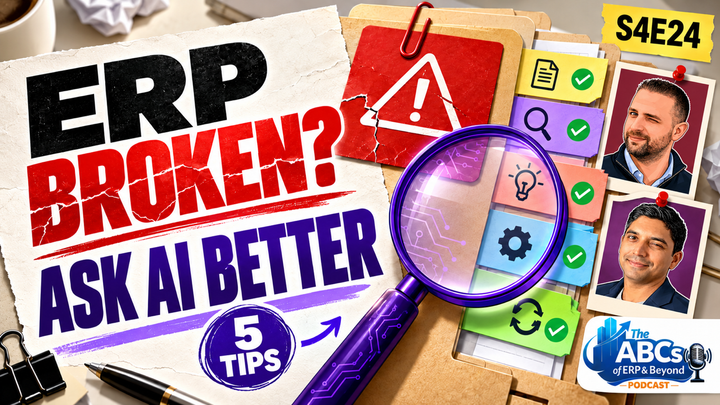
S04E24 · 44 min
Episode notes
Send us a message about this episode!
Ask AI "why doesn't my ERP work?" and you've given it about as much to go on as a support ticket that just says "it's broken". Pete and Nirav set out five ways to get useful troubleshooting help from AI, whatever ERP you run: what to give it, what to ask back, and how to check what it tells you before you act on it.
Nirav brings the VAR's view: a vague ticket can burn an hour of billable time before anyone starts fixing anything, and a well-briefed AI saves you that hour. Pete explains how his Acumatica Brain pairs the official documentation with a company's own configuration, and why his own prompts now look lazy. The starter prompt from the episode is below, ready to copy.
In this episode:
- The colleague who knows 20,000 pages and would become your bottleneck
- Acumatica's documentation, now on GitHub in AI-friendly Markdown
- Don't ask for a confidence score. Ask for evidence
- Why AI used to think "banana" had two A's
- Skills as recipe cards, and turning a win into one
Links mentioned:
- Acumatica AI Resources on GitHub: https://github.com/Acumatica/Acumatica-AI-Resources
- Matt Pocock's skills, including grill-me: https://github.com/mattpocock/skills
- S4E17, 5 Things That Break When You Put AI in Your ERP: https://abcsoferp.com/episodes/s04e17-5-things-that-break-when-you-put-ai-in-your-erp/
The starter prompt — copy it, paste it into your AI of choice, and fill in the brackets:
Help me investigate a problem in our ERP. I'll brief you the way I'd brief a support colleague.
THE PROBLEM
ERP, version and build: [e.g. Acumatica 2026 R1, plus the build number]
Screen or page ID: [e.g. SO301000]
What I did: [the action or button, on which document type and status]
What happened: [paste the exact error message in full]
What I expected: [the result you expected]
Scope: [one record, one user, one branch, or everything?]
When it started: [a date, or what happened just before]
Recent changes: [updates, settings, customisations, or "unknown"]
What I've already checked: [each check and its result]
SOURCES
Use the official documentation for my version: [link, e.g. https://github.com/Acumatica/Acumatica-AI-Resources]
Our relevant configuration: [paste or attach the settings or customisation, redacted]
Cite the source for every product rule you rely on. Keep three things separate: what the documentation says, what my evidence shows, and what you're inferring.
HOW TO INVESTIGATE
Before suggesting any fix, check whether this could be expected behaviour, or the result of how we've configured the system.
Don't assume my explanation is correct. If anything I've said contradicts the documentation, push back and cite the source.
If you need more information, ask me up to five questions first.
Don't give me a confidence percentage. For each possible explanation, tell me what evidence would strengthen or weaken it.
BEFORE ANY CHANGE
Propose one test I can run in our test environment, not production. Tell me the expected result, how to restore the original setup, and what else in the system the change might affect. Don't make changes to the ERP yourself. I'll run the test and report back.
Three follow-ups for later in the conversation:
If it's turning into twenty questions:
Help me describe my problem more accurately. Ask me up to five questions, then write me a better opening prompt.
(Then start a new session and paste in the prompt it gives you.)
After you've run the test:
We ran the test. Expected: [result]. Actual: [result]. Evidence: [details]. Update your diagnosis and tell me the next check.
Once it's solved:
From this session, are there any skills you could create that would make next time easier? Write me a template I can use as the opening prompt for similar issues.
Hosts: Peter Nicholson · Nirav Shah (AdCirrus ERP)
No sponsors, no adverts. And unlike your AI, we don't charge by the word.
Watch the episode
Transcript
The speaker labels and timings come from the edited Riverside transcript.
Read the full transcript
Peter Nicholson (00:24)
And welcome back to the ABCs of ERP and Beyond, the show that looks at ERP from a few different seats. So you're not just getting the partner's pitch or the end users' war stories. My name's Peter Nicholson and I come from the systems and data side. And I'm inside a business that's running Acumatica day-to-day. And we have Nirav Shah who is at AdCirrus ERP and implements ERP for a living. So you get the VAR's view too.
Now it's just the two of us this week. Emily's away, but we have got plenty to get through. Now, if you ask AI, why doesn't my ERP work? You've given it about as much to go on as a useless support ticket that just says, hey, it's broken. And in a previous episode, we have talked about AI fixing GIs in Acumatica. We've spoken a lot about AI in general within an ERP, but today we are going to unpack.
How you use AI to help ERP troubleshooting, how you can leverage AI to be able to work through issues that you might have in your ERP, including what you need to give it, what you should ask back, and how you go around checking the answer it's given you. And we also will be speaking around something that we have here at the ABCs of ERP and Beyond. We have built a whole corpus and we call it the Acumatica Brain.
And there's some tips on how to get the best out of LLM's Nirav, ready for this one?
Nirav Shah (01:51)
I'm ready. I personally we have we have clients and customers that obviously use AI and try to leverage AI. we use it obviously internally. I think the whole world uses it. And this is a great one because this is very focused, laser focused on AI and ERP, whether that's Acumatica, whether it's gonna be business central or what other ERP you use. I think the concepts from this particular
Podcast,
you're gonna walk away with actionable things to start doing right away with your choice of AI to help it help you resolve your ERP questions faster, more accurately, right? And you can be confident in presenting those answers to your team ultimately. So this is a great one. And I just gotta come out and say it, Peter. This episode would not be possible for all the if it wasn't for the work that you put in.
in your AI, Peter, and what you've learned through all the years, two or three years that you've been giving this a go. So super excited for this one because what you've done, Peter, I think is just so amazing that if you know anyone, any end end user out there could pick this up, could drastically reduce consulting costs, could could drastically increase your ROI on your ERP itself.
And really have an ERP purpose built for your business for the long road, right? You could you could have, you know, the main goals of ERP is to have high adoption. And this episode will give you the tips and tricks to have that high adoption in your organization. Whether you're a CEO, whether you're a manager of a department, or you're just an end user, I think anything that you learn today.
is gonna help you increase that high adoption, increase that ROI on your investment. Cause we have this wonderful little thing now that's always in the background of when we're working is called AI, Peter.
Peter Nicholson (03:54)
AI never heard of her.
Nirav Shah (03:55)
Well let me explain this to you. Do you got a couple hours? The backstory behind this.
Peter Nicholson (04:04)
yes,
Nirav Shah (04:04)
Mm.
Peter Nicholson (04:05)
I I agree with you. I think we've said this many times, haven't we? This is the biggest shift in technology since the birth of the internet. And I think it's gonna change the world even more so than than than the internet did. So it's here to stay. We should embrace it. and we said before we started recording, didn't we, there's a huge shift in the market, in the tech market. and it's the companies that embrace this change.
And are flexible enough, willing to embrace it, they're the ones that are gonna survive, I think. I think the ones they're gonna struggle, the ones that try to resist against it. Now that's not saying, you know, you you just open your doors and have at it. It needs to be controlled, there needs to be governance around it, but it's the difference between at least exploring and embracing where works for you and where it can help you, in a controlled way.
versus just shutting your door and pretending it will go away, because it won't.
Nirav Shah (04:58)
Ex exactly. You know, just to just to add to that, there's a lot of bad practices out there when it comes to AI, right? in what people are doing, how they're trying to leverage this.
You know, the other part of this is there a true AI initiative internally in the organization to leverage it properly to help you? So, you know, the points that you bring up, I think, I think are great. And a lot of companies are feeling that is to how do you as an organization, if I'm the CEO of the company, how do I start thinking about my team getting the most out of the ERP, getting the most out of the technology that they're using?
But have AI be the brains. Have AI really know the things that we do and the way we've configured and set up our ERP, right? Which is our heart of the business. And the standard documentation and things that the standard system does with our configurations, with what our business is all about. Put all that together and really have this kind of mega brain, right?
as you referred to, to really be that
technology that takes the business to the next level ultimately. But you don't have to rely on people, maybe that's a bad way of saying it. Like you have to rely on people, you to rely on people. But you could actually have a more elastic organization that way. Without people being just in certain places or worried about that one person leaving and there goes all that knowledge out the door.
that AI should be there that should be resident and and should be in that place all the whole time.
Peter Nicholson (06:32)
We said this before we started recording, Imagine if this was a person. Imagine if a business had that person where they knew your ERP inside out. Not only did they know your ERP inside out, the way you've got it configured, but they also remember, word for word, every single documentation, every single Bible, all 20,000 pages of developer documentation of how the system works.
They would have a queue out the door of end users coming to their desk. How do I do this? This is broken. They would be the most sought after person in the company. They would be the bottleneck, right? But we have this now and it's called it's called AI, right? if every company has,
The foundation of an AI support agent and it's controlled and there's governance around it that can now go to an LLM and go, hey, you know, this this invoice isn't posting and getting this weird error message. Copy and paste the error message. and I get the answer there straight away. Like before, if that was a person, they would be the most protected person. We cannot let this person leave the company. Because as you said, they're gonna walk out the door with all of the knowledge.
Well, we have this. And we have it on steroids. 'Cause you won't find someone that knows word for word twenty thousand pages of documentation. but we do. And it's called it's called AI now.
Nirav Shah (07:49)
Yeah.
Peter Nicholson (07:50)
Okay, let's get into it.
Nirav Shah (07:52)
It's a beautiful thing. And I'm and let's talk about, like you said, these these ways to actually make it work for you.
Peter Nicholson (07:58)
I'm as much as a pessimist as I am an optimist around this. I still think that it will be net good for humanity. And I still believe that around the internet. And I think every single time you talk about AI and it's being used for bad things, I always think, well, you could actually replace AI with anything in that sentence. You could put 'internet'
in there. And it's the same thing. People use the internet for horrible things. you know, trafficking and illegal activities. But there's also a wealth of good that's come from it. The the bad is social media harm, which is one. But the good is social media helped us spread the message of a global pandemic and allow countries to get
ready before it really hit. We could learn from other countries a lot quicker. So there's always a yin and a yang with this, but I do feel that, as much as it might be e middling, I still think it is leaning towards it's a net good.
Nirav Shah (08:54)
Yes.
Peter Nicholson (08:54)
you just have to remember, yes, there will always be bad actors. There always is with everything. but that isn't something to dismiss it completely.
Nirav Shah (09:00)
Yeah.
As long as an agent doesn't leave the sandbox and go attack another another production environment, I think we're good.
Peter Nicholson (09:10)
That's true.
Nirav Shah (09:11)
Bad, bad agent, bad agent timeout. Agent, you have a timeout.
Peter Nicholson (09:18)
Sit on the naughty step.
Nirav Shah (09:19)
Yeah. Exactly.
Peter Nicholson (09:22)
our first tip here leads on nicely to what we were just saying around if this was a person. and tip one is brief it as you would brief a good support colleague. And it always comes down to context, context, context. Context is key with this. and it's the difference between, you know, if you and Nirav, maybe you can speak from this from the the VAR point of view.
When s someone sends in a support ticket and it says, "My invoice won't release. Help." Like, where's the information for me to go on? Like, give me more than that. What invoice number? Are you getting an error message? Which button did you click? Is it happening on every single one? Is it a one off? Like, give me the context to help
me help you, right?
Nirav Shah (10:06)
Exactly. It
that's probably, I'll be honest with you, here's the inside tip from a VAR perspective. VARs are billing 30 minutes to an hour to investigate just what that question is supposed to mean before they even get into the actual troubleshooting and providing the solution. Because this information is just so vague. Like you said, you know, "we can't release it as an invoice. Help."
It's like, have you seen Castaway? "Wilson, help me." Like I could we could only help based on how much information we know. And the more concise the the issues reported, the quicker we could come to the solution, right? We have to, you know, we're services business. We got to build for our time, right? We don't have anything tangible really. It's our service. we were trying to investigate and then we and then we find the solution. So yeah, you know, brief it properly.
What screen number is it is? Everyone that knows Acumatica or knows another ERP should know how to find the table number, should know how to find the page number, right? Or information related to that to get to the exact screen that's causing this issue. That I think every end user should know. Then, you know, what is the exact record number? What are the steps to reproduce this? What are you going through? Maybe there's a step missed earlier in the process that's causing this issue.
Right. And then once we have that, it's instead of spending an hour to research it, we got 10 minutes, we research it real quick, and then we start finding the solution. So now what you get built for is just an hour. However, with a proper setup agent, an AI backbone that knows your customizations, that knows your configuration, that knows the Acumatica help guide, putting that information
Prompting that information, proper detail of this scenario or the situation error that you're coming across, you're gonna get much further ahead and get the answer sooner and spend zero dollars, right, with your VAR. Ultimately the goal, and I'm sitting here in the VAR chair, right? It's not that we go out of business, is that the customers take ownership of their system, right?
Think about a customer that's on QuickBooks. They're not going every five minutes reaching out to the VAR and saying, Hey, we have their their QuickBooks partner. They probably don't even have they probably have a partner they've never even heard of, right? They just know QuickBooks Online is that you just go set it up and you run with it. They're not reaching out to QuickBooks support every five minutes for a quick each issue they have, right? They they have a high ROI on QuickBooks because that. So it's kind of the same way where you if if you have this, you know, these tools defined and set up, these skills with your AI.
you're less reliant on your partner, putting more money in your pocket and coming up with solutions on your own a little better and managing your own environment. So yeah, it the tip number one, briefing it properly is so important. you're not gonna go to a doctor. Well maybe you do, right? Go to a doctor and say, hey, my heart is hurting. Maybe that's a little bit too too too too vague. Maybe you're gonna say, I'm running
Peter Nicholson (13:03)
I mean,
Nirav Shah (13:03)
out of breath.
Peter Nicholson (13:05)
no, I think the analogy is fine because imagine if because we do with AI LLMs, right? We we pay for token usage. So if you do have a back and forth with an AI, it's costing you more money than it should. Imagine if a doctor says, right, I'm gonna bill you for every word you tell me, and I'm also gonna bill you for every word I say back to you. Are you now gonna go in there and have a vague conversation? and go "hey, I'm hurting." "Okay, what hurts?"
"My body." "What bit which bit of your body?" "My knee." "Okay, well what did you do?" Like you wouldn't because you'd be billed so much money. If you knew you were being
Nirav Shah (13:38)
Yeah.
Peter Nicholson (13:38)
billed word for word, you'd go, "Hey doctor, my right knee is hurting. It's been hurting for the last week. The pain is exactly here. I think it was because I may have, played tennis too hard during the week." You're gonna give him as much as you can and go, Right now answer.
Nirav Shah (13:53)
Yeah, no answer yeah, yeah, yeah,
exactly. Exactly.
Peter Nicholson (13:56)
We already do it. People do that. People are already getting frustrated sometimes with LLMs giving them a huge wall of text. People are now saying, "Be concise" And it's it's the
Nirav Shah (14:04)
Incise.
Peter Nicholson (14:05)
same thing. You wouldn't do that with the doctor. So I think the analogy holds up from that point of view. is that back upwards forwards?
Nirav Shah (14:09)
Yeah, you should see my AI. I just
say, give me a one word give me a one sentence email. That's it. Put everything that you thought about in a one to sentence
Peter Nicholson (14:15)
Yeah. Yeah.
Nirav Shah (14:17)
sentence email, 'cause I don't I don't write like that with with
Peter Nicholson (14:20)
Mm-hmm.
Nirav Shah (14:21)
with paragraph. People know how I write, so that one sentence email gets a point across.
Peter Nicholson (14:25)
So this this tip, yeah, big. Brief it as you would brief a human with full context. So we'll put this in the show notes. We have got a good prompt here. So for example, we would say instead of "my invoice won't release, help me." say something like "we use this ERP, this build number, on this screen ID, selecting this button on this document type produces this exact error. Paste the error
Nirav Shah (14:49)
Yep.
Peter Nicholson (14:50)
in.
Nirav Shah (14:51)
Yep.
Peter Nicholson (14:51)
I
expected this result. It is affecting this. It has started since this time. Any recent changes help me identify what to check next." That is it.
Nirav Shah (14:59)
Yep. Right.
Peter Nicholson (15:02)
Now, if you if you don't know how, you know, it's easy for me to say. I I'm saying it from hindsight in mind. But if you do get in that back and forth and vagueness, I would actually stop the session there.
Right. If we're talking around context optimization, that context window optimization, which is a subject for another day, I would stop the session there and go, "Help me describe my problem more accurately. Ask me up to five questions, you know, to help improve my initial prompt." It will probably give you exactly that, the build number, everything that it's had to do a backwards and forwards with you to get the information out, it will give you a prompt.
I would just start new session. Copy and paste that prompt into a
Nirav Shah (15:39)
Yeah, exactly.
Peter Nicholson (15:40)
new one. At least then you've got a good footing to start with. And then over time you're gonna start realizing what a good initial prompt looks like.
Nirav Shah (15:48)
Mm-hmm, mm-hmm.
Peter Nicholson (15:49)
number two, you started to go on to tip number two here. context, context, context again. This tip is give it trustworthy sources for your ERP, its version, and your setup. So
we're starting to see this in the market as of August earlier this year. Acumatica now have started to provide the documentation in an LLM friendly format. It's called Markdown. So if you see any files, .md, it's a text file. been around for decades, predates LLMs, predates AI, but that's the format that AI is now using. so Acumatica have
reproduced all of their documentation starting from 25 r2 they did some documentation. 26 R1 they've
Nirav Shah (16:34)
Yeah, right.
Peter Nicholson (16:35)
they've fully done it now. All of the documents that were in those massive PDFs, you remember those in the Rafa, like 500 page PDFs, they're now all
Nirav Shah (16:43)
yeah. Yep.
Peter Nicholson (16:44)
split out into markdown files and put onto Acumatica's GitHub account. Yes, they have one. If you go to github.com forward slash Acumatica.
You'll find in there a repository called Acumatica AI resources. And it's all of the markdowns. Now, these markdowns aren't intended for a human to read. No one is. Just like no one read the PDFs. they're they're this source documentation for your LLM. So embrace them if you're using Chat GPT either in the browser,
Same with Claude, or if you have them installed as a command line interface, copy and paste that link. Right? In your prompt as well. When you're saying, "I'm using Acumatica 2026 R1, use the official documentation. Here's the link." Point it to that. Now suddenly it has knowledge of exactly your working edition.
How to fix it, all of the developer documentation. You're giving it a wealth of knowledge, that contextual knowledge. And I'm gonna plug my Acumatica brain here. we've gone deeper than that. We've also given it documentation that isn't in here. some of the other PDFs are not full all fully converted by Acumatica, but also we can give it tenant specific configurations.
Because you know it, Nirav, like these ERPs is a whole world of configuration. Every single module has oftentimes multiple different preferences screens, which is just a huge list of settings basically and checkboxes. and that configuration makes the ERP yours to a certain degree. And some of these settings can either
disable functionality or enable functionality. So if you're asking an LLM, "Hey, this isn't happening." it might try to, and LLMs have this trait, they might try and start creating a solution of why a particular process is being blocked. Well it might not actually be an issue with the ERP. It might be because you've configured it to block
It might be disabling automatically releasing a purchase receipt because your business wants to sense check a purchase receipt before it gets posted. If an end user goes, hey, this isn't automatically releasing, an LLN could go off and try and find out why. but if it has
Nirav Shah (19:03)
Cool by. Yep.
Peter Nicholson (19:05)
at the at the first instance all of your configuration settings, immediately it will go, you've selected that they get held upon release. That's why it's not posting."
Nirav Shah (19:14)
Yep. Yep.
Peter Nicholson (19:16)
So we've done that. We have a thing called Acumatica Brain. And we've built a separate layer for this company specific setup. It can search customizations, generic inquiry designs, enabled features, numbering sequences, all of the preferences. As I said, preferences pages. And it will use that in conjunction with the
official documentation from Acumatica. Suddenly, and I say that's a lot. The last time I looked at it, it's an indexing of n over 19,000 pages of documentation, all within this Acumatica brain. So in terms of tip number two, giving it a trustworthy source, this is it. It's a full context of trusted source because it comes from Acumatica itself and it comes from your Acumatica instance itself, how you've configured it.
So it's already can reason over a trusted source.
Nirav Shah (20:09)
Yeah, no, exa exactly. that source is so important. And, you know, let's say I'm coming in from the end user perspective and I don't know what the setup behind the scenes is and you know what what what is actually instituting or constitutes a brain for my business. But what I do know is I have this ecumatica help that now will for me give me the answers I need to for me to do my job.
without me being stuck somewhere and I'm behind putting in three or four production orders because I can't move on. Right. As an end user, this should help me become way more effective to solve my own issues as I'm talking through my AI because the structure, the bones now filled in with exactly the things that, you know, are irrelevant to my business. And I could
solve the problem on my own. I'm empowered to solve the problem on my own and I can move on without, without, you know, being left behind, essentially. So I think that's huge in terms of making sure the the resolution is reliable because it has all this information, right? One thing we probably have to maybe say, is it gonna be a hundred percent accurate?
Maybe, maybe not, right? There could be pieces of it that doesn't know yet, that hasn't been fed yet, right? And and you always have to keep that in the back of your mind. but at least will it be 90%? Absolutely. Will it help you maybe think about something you forgot about? Absolutely, right? And and it'll help you move through it. will it help you reduce your consulting fees? Absolutely. So I think this trustworthy sources instead of just
you know, blindly asking a question is definitely super important to to build that that that repository or that bone the bones around your AI so it could give you the right the right information.
Peter Nicholson (22:01)
tip number three here, ask it to investigate before suggesting a fix. Like if you're using LLMs, you know what they're like, they're gung-ho, they're straight off la let's design a solution and sometimes it's just start spitting out code and saying, create a customization and this is your code for it and it's just whoa, whoa, whoa, stop, stop, stop.
Nirav Shah (22:17)
Yeah. Right.
Stop.
Peter Nicholson (22:21)
ask it to investigate first. So an example prompt here is telling it "before proposing a change, check whether this could be expected behavior, and give explanations for it." the other thing is LLMs, they love to be the yes man. They love to agree with you. We've had this, right, where they're like,
Nirav Shah (22:38)
Yes. Oops, I just say yes.
Peter Nicholson (22:40)
no, you're right.
they just agree with you, whatever you say. So try to put in your prompt say something like, "Don't assume my explanation is correct." We know what humans are like, we assume stuff. we start to see LLMs do that, they assume that you're right. so explicitly say push back. If so say something like, "If I say something that contradicts official documentation, push back and correct me,
And cite the source." Right. and the other thing I will say here, well, I'm gonna mention it now as well, but skills. There's a really good skill out there. if you've listened to me bang on about AI, either ITW or outside of my work, you know I bang on about grill me. Grill me sessions, something that I was heavily influenced by a guy called Matt.
Pocock, he creates a skill called Grill Me. I have my own skills a little bit like Grill Me. Essentially, it's a very, very simple instruction, very short one, that says "incessantly question me until you feel that we have reached a an agreed upon understanding of what we're trying to solve." Right? That will invoke the LLM to simply ask you questions.
And it will not start building on a solution until it feels that you and the AI are in line with each other and you both are agreed upon what the issue is before we move on to the next stage of solving solutions. Now, that might be answered within two or three questions. I've had grilling sessions that have lasted five minutes. I've had ones that have lasted two or three hours, and we're up to like question sixty-three. Obviously, that was a much deeper.
issue that we were trying to to solve but make sure that you try to ensure that the LLMs don't just go off gung ho trying to fix stuff.
Nirav Shah (24:30)
Yeah.
Absolutely. It's you know, I it's really easy. I find myself doing this. "Tell me why this is wrong." Or give me the solution right away for this." right? "Here's an error message." You but all you do is copy and paste the error message right there and say, "Tell me why this is wrong." That breaks a lot of the first first two steps that we talked about here. but this is I think how AI's been marketed in a in essence, like
Ask it whatever you want or do whatever you want. But people don't understand the true rationale or or or way it could get to the question or to get to the answer you need, not just the answer, the first answer you see, right? to be successful in that prompt. so this is this is a big one for me. It's really giving yourself enough time when you sit down to ask a question. Can you follow it through?
And give it the right information for it to give you the right solution. That's not just a quick prompt. Maybe it is sometimes, but it could be a 20 minute session with your AI. Think about it as you're talking with somebody, right? You're talking it out to find the right, right way forward for this particular situation you're you're you're going through with with and and talking through the AI. So that piece is, you know, I think one of the most important is give yourself enough time.
time to work out a solution. It's not gonna be right away. You know, ERP, everyone knows ERP in general are complicated projects. They take time, they take a lot of thought, right? and you don't want to just be able to throw in a quick, you know, snippet of a problem without you and your AI having a deep understanding of what you're trying to actually solve before you get the solution. So you know
That that skill I think is a huge bonus here for our users and and our our our listeners of our podcast. But give yourself time when you sit down with your AI to come up with the right solution. It's not
Peter Nicholson (26:26)
Mm-hmm.
Nirav Shah (26:26)
just you sit at your desk within two seconds, you find out, right?
More
Peter Nicholson (26:29)
Mm-hmm.
Nirav Shah (26:29)
more likely than not, if you're trying to get a solution within two minutes
Peter Nicholson (26:32)
Yep.
Nirav Shah (26:33)
using AI incorrectly.
Peter Nicholson (26:34)
Yep. My other tip inside this tip is people go, well fine, okay, if we know that AI can go off and be highly confident, a lot of people request like a confidence percentage. Say, you
Nirav Shah (26:47)
Yeah.
Peter Nicholson (26:48)
know, how confident are you that this is the solution? It's gonna say it's pretty confident.
It's it's baseless. It has no measured basis. So don't don't ask it how confident it is. What I
Nirav Shah (26:59)
Right. Right.
Peter Nicholson (27:00)
would do is I would ask "What evidence would strengthen or weaken this hypothesis?" Right? You ask it the reverse. And it says, "Well, if we knew about this, you know, the way that you've configured this screen, then we would be able to eliminate this, this, and this possibilities." We'll go, well.
"well, if you told me that, here you go. Here's my configuration," right?
Nirav Shah (27:19)
Yeah. Right.
Peter Nicholson (27:21)
That's going to huge for making sure that you are investigating properly and not going down some rabbit hole that you don't need to, you know, the wrong rabbit hole.
Nirav Shah (27:29)
the wrong rabbithole and I'll say one one other tip within the tip within the tip is double check the math AI's math in my experience has not been like stellar so if you are you know have any c spreadsheets or things like that that you wanted to calculate double check the math so
Peter Nicholson (27:47)
Yep. I would I would
say that LLMs are a lot better. Now LLMs are more agentic. They have the ability to call upon packages. So they can spin
Nirav Shah (27:57)
Yeah.
Peter Nicholson (27:57)
up Python and use Python for math before they
Nirav Shah (28:00)
Yeah.
Peter Nicholson (28:01)
were just using text and tokens. The the classic one is the classic one was around how many
It was like how many A's are it are in the word banana, right?
Nirav Shah (28:13)
Mm-hmm.
Peter Nicholson (28:14)
But when we look at how LLMs chunk text, it was chunking text and seeing that within the chunks of the word banana, two of those chunks contained the letter A. That's why it gave you the answer that there's two A's in the word banana.
Nirav Shah (28:30)
Mm-hmm.
Peter Nicholson (28:31)
Right.
Which we know is false. Every w you know, everyone was you saw it in the news, everyone was like, look, look how stupid it is. It doesn't even
Nirav Shah (28:33)
Yeah, yeah.
Peter Nicholson (28:37)
realise how many A's are in the word banana. Well that's why, because
Nirav Shah (28:39)
Yeah.
Peter Nicholson (28:40)
it was just chunking tokens, chunking text like that. but now it calls upon a Python package that splits characters letter by letter and then can count. It uses a Python you know, Python code to count characters where
Letter like a for each loop in Python where letter equals A, right? And it'll go, three. That's why now it says there's three A's in the word banana. so it's getting a little bit better at maths, but either way, absolutely double check any answer
Nirav Shah (29:10)
Yeah.
Peter Nicholson (29:10)
that it gives you before you actually go and do anything with it. Yeah.
Nirav Shah (29:13)
For sure. Yep. Yep.
Exactly.
Peter Nicholson (29:17)
tip number four. Make it define a test, then report what happened. So if you get to a point where it's like, you know, if we think along this theme of you've got a problem in your ERP, you've investigated it, you've qualified that this hypothesis seems to be the right path that we're going down.
Then I would take that and ask it to work out how we should test this. So obviously, you should have some kind of sandbox or test environment of your ERP, not just do it straight in your production. my god, hope no one's doing that.
Nirav Shah (29:53)
Yeah.
Peter Nicholson (29:53)
but also get the LLM to to explain to you what the expected result should be. How you test, how you restore the original setup, right? It might give you code.
That you might need to inject. Hopefully not. hopefully, an end user shouldn't be injecting code anyway. but is
Nirav Shah (30:10)
Yes, exactly.
Peter Nicholson (30:11)
there a way to roll back this? What do we expect to see? What related behavior we should see, right? We know that with a connected system, one change in one particular area can affect others. So
Nirav Shah (30:23)
Yes.
Peter Nicholson (30:24)
where else should we expect to see any changes? and relay the results back to the LLM.
Nirav Shah (30:31)
Yeah, I it's like putting it's like in a sense to me putting together a modification spec. Every single modification spec that we put together for our customer is in the bottom of it, it has how to test this modification to ensure it's working. With the specific use, you know, data, with the specific scenario, what the output should be, what are the limitations that it should know of this particular test scenario that it's not should should not be solving.
along with what it is solving. So this is that loop that confirms a confidence, in my opinion, that what you're getting to is the proper answer from your AI. Right. and this this alone, if done correctly, right, could save companies. I'll be honest with you, like
at at least a dozen or so hours every week in troubleshooting their ERP problems. ERP errors, ERP bugs or whatever, right, they're going through right now is if they have a strong understanding of what how to test for that answer and to make sure it's correct.
Peter Nicholson (31:38)
Yep. Yep. I agree. and feed that back, right? I wouldn't just when you're playing with this, don't look at connectors and avoid all of the hype of MCP and all of that stuff and well just get the AI to go directly in and start making changes. Don't do that. run through
Nirav Shah (31:53)
Yeah. Right. Yeah, don't do that.
Peter Nicholson (31:55)
this so you build up your experience of troubleshooting issues
using LLMs. So
Nirav Shah (32:01)
Mm-hmm.
Peter Nicholson (32:02)
when you're feeding this back, I would work upon saying, "Right, we ran that test. we expected this result. The actual result was this. Here's the evidence. Go back and check," right?
Nirav Shah (32:14)
Exactly. Exactly.
Peter Nicholson (32:15)
tip number five then. So you've gone through all of this, which is pretty comprehensive, but tip number five is the future proofing of this. This tip is probably the biggest for me, where the shift becomes from each isolated case of getting the LLM to provide an answer to shifting towards get the LLM.
To build a solution that I can use time and time again for answers. So tip number five here
Nirav Shah (32:46)
Repeating that.
Peter Nicholson (32:46)
is save the successful method so it can be used multiple times in the future. Now, ways you can do that for example are using AI skills. So if you think about a skill, a skill is like a playbook, right? It's like a recipe card. So if you think of like the AI
system as a cook in the kitchen. The LLM is the cook. The skill is the recipe card and the tools are the kitchen equipment, right? And what happens is an order comes into the kitchen, then the LLM uses that recipe card not to make the cook any smarter but to go through a set of instructions in a logical format. So for example,
If we have a skill around write a meeting summary, right? Which now shifting from having to prompt every single time of the type of output that we want, what it needs to go and have a look at, we can build a multi-use skill. And in that skill, it's like a it's like a prompt within the prompt kind of thing. That skill will say, "first, read the meeting notes, second, list the decisions, third.
Name each action and its owner. Fourth, do not invent missing information. fifth...", I don't know, "use English spelling and not American spelling."
Nirav Shah (34:04)
Yeah.
Peter Nicholson (34:05)
whatever it happens to be, right?
Nirav Shah (34:07)
Yeah.
Peter Nicholson (34:08)
So I mean without without skills, LLM can still write a summary, but remember LLMs are probabilistic. So every single time it's gonna be different. Whereas if the LLM knows how to cook using recipe cards.
you get the same consistent output from LLMs that means that you can use it time and time again. So for example, our Acumatica brain, we use one called Acumatica Research. So I noticed that every single time I was having an output of an Acumatica issue, it would cite the source
But it would literally cite the paragraph that it found the answer in. Now, oftentimes with Acumatica documentation it will have an explanation and then underneath it'll have a whole load of stuff of "but it won't work if you've got this disabled, this enabled in this situation where the order is in this status", you know, with a whole load of exemptions.
Nirav Shah (35:04)
Yeah, yeah.
Peter Nicholson (35:05)
and so after the paragraph.
And also sometimes before we'll talk about setup and make sure you've got this enabled before this paragraph kind of makes sense. So I built an Acumatica skill that when it's initially triaging, it will still find and hone in on that paragraph, but the skill forces it to read above and below that paragraph.
then I haven't got to go into a backwards and forwards and go, hang on, that doesn't sound right. I have to look at the source, realize that it just jumped and didn't, you know, it just stumbled upon the answer and stopped. That if if it had read the next couple of paragraphs, it would have realized that wasn't going to be the answer anyway.
Nirav Shah (35:47)
Right.
Peter Nicholson (35:48)
so I just built that into a skill. I got tired of it doing that every single time. So the skill now makes it
Nirav Shah (35:53)
It's awesome.
Peter Nicholson (35:53)
say, cite that source, but read that entire page or that entire top document first. And you can see it.
Nirav Shah (35:57)
Exactly. Right.
Peter Nicholson (36:00)
N now we have L LLMs that are thinking. You can kind of watch it, right? You ask a chat GPT something now and you can see it thinking through an answer. And I can see it. I can actually see where it's even
Nirav Shah (36:09)
Yeah. Just going through each.
Peter Nicholson (36:11)
calling itself out going, "my assumption was incorrect because of this" and it goes back and researches again. So skills are great for that kind of stuff for making sure that you improve
the session that you have, so you haven't got as much back and forth, but also to have the final result when it does finally give you an a result that it's in a structured format that makes sense to you. So you don't get that wall of text. It might be "give me a summary first of all, give me a a bulleted list of all of the citations." You know, you can tell that to an LLM through a skill and then that skill just gets used time and time again. So now
I have a few skills that the LLM session spins up, it invokes itself on every single time. So now if you looked at my prompts, you would go, Well, hang on, this guy's doing everything the opposite of what he's telling me to do. My prompts are really, really bad. They seem really vague because I have these skills and I have the context. So now
Nirav Shah (37:09)
Kills right. Yep.
Peter Nicholson (37:11)
when I'm when I've got an Acumatica issue.
Very first thing I say is "Use Acumatica Brain." Full stop. And
Nirav Shah (37:17)
Yep. That's it.
Peter Nicholson (37:18)
then I paste in the issue. And it might be a vague question from an end user. But it looks at Acumatica Brain, it spins up the skills, it knows all of the knowledges, it knows all the sources, it knows what edition I'm on, what version I'm on. so now I can give my LLM a very vague initial prompt.
Because my prompt is basically use Acumatica Brain. When it sees that, it's expecting me to put a you know, pasted "My invoice won't post" and off it'll go. But I've only got there
Nirav Shah (37:49)
Right. Off it goes. Yep.
Peter Nicholson (37:52)
because I because I've worked on building a product that I can use to answer questions time and time again.
Nirav Shah (37:59)
Yeah,
I think that's amazing. And that's another good takeaway here from this podcast is this will take time. You're not gonna get all this, you're not gonna get what's right for you or your business set up tomorrow. You know, the your AI is not gonna be ready to work the way Peter, you just explained it tomorrow, right? This will take time. This is a very iterative process. Again, you're talking to somebody.
And imagine you're talking to somebody, how long it takes, right? For you to now start seeing eye to eye. So just like with AI, it just takes a little bit of time to now start seeing eye to eye, but you gotta feed it this information. You gotta you have to know how you're interacting with it, build those skills around it. you know, give it what the answer, you know, what the answer should be out of the output that you're looking for on the issue, those sort of things. Cause this is this is a long-term game, right? This in in this
Particular podcast today, we're talking about just ERP. Now you think you take what we told you today and start looking at this in the broader context of your business, of your personal life or what have you, right? Or a hobby that you have, right? How much more productive you will be just by taking these tips today and trying to apply it in other places.
of of how you could use AI. AI, and we were talking about this earlier. AI is not, I don't think it's gonna go in and take away jobs. I think it's gonna make those jobs a lot more effective to actually fulfill the responsibility for that job. A lot of people in the ERP space, in the technology space, are data entry specialists. They get a document, they get something and they know exactly how to put it into the system.
Right. But imagine the purchasing person, their job is to reduce purchasing cost, being able to increase their inventory turnover in their organization. They can't get to that because they're so busy managing and fighting with their ERP system. Right? Trying to wait and wait and wait to figure out what the solution will be. Now, with this setup, the proper configuration, the proper skills, understanding how the L and Lum
Or your your AI could actually give you the proper and correct answer. It's really a matter of 20 or 30 minutes. You work with your your AI, get the solution, find the problem, fix it, and what do you do the rest of the day? It's actually reducing cost, increasing margin, right?
Peter Nicholson (40:25)
we have a prompt based upon the five tips that we gave today. we're gonna be putting that into the show notes. It's designed as a copy paste. we've also put placeholders where you need to paste in your own stuff. So, you know, expected result. That'll just be a placeholder where you can paste in your expected results. The idea is that this is kind of good good as a starter prompt to at least get you going.
it's based upon my experience, it's based upon discussions that we've had here at the ABCs of ERP. and in my working life with AI over the last five or six years, I guess. So I will make sure that's in the show notes. try it out, right? Just try it out, put it into Chat GPT. You can even think of a hypothetical one, you know, and just see the quality of the output. I would run that, run two sessions, right? Try your normal
normal approach and then try this this prompt and I think the the biggest change is the richness of the initial output that you'll get and I will say one other thing that I don't think we mentioned yet this is iterative I don't think that you have you know you might have created a skill and I would also say you can use the LLM to create a skill.
Right. If you've had a successful session where you did eventually get to a solution, regardless of frustrations with a bit of to-ing and froing, a couple of misses by the LLM, if you have got a session where you got to a successful outcome, then use that session and ask it, you know, "From this session,
are there any skills that you could create that would make the next time easier?" "From this session, can you create a template that I can use as an initial prompt for further issues that I may have" Use it, right? If you've got a success, if you've got a journey, however ugly that journey was through that session, if you have one that was a success at the end, you know, don't just ignore it and you'll see it.
Descend down your list of chat history in in Chat GPT. Use it, leverage that. You've got a successful one there. Get it to build some skills that you can use for future sessions. Get it to build a prompt template that you can use for future sessions. but remember that this is always going to be iterative. We're all learning at the same time. New models are coming out all the same all at all the same time. new editions of ERP is coming out all the time. So
This isn't a thing that you do once. It should be iterative. You're gonna make tweaks, you're gonna be make improvements. You're gonna realise that thing that you thought was really, really important six months ago actually isn't anymore. So you might remove a skill, you might remove something from a prompt. it's maintenance of how you approach working with an LM that will mean that you'll succeed more often than than others will.
very good. if you got something out for today, the usual ask is to follow the show wherever you're listening, Spotify, Apple or watching on YouTube. we put our video demos up on YouTube there as well. we don't do any sponsorship. so no one's slipped us a Starlink deal yet.
but if you want to support it, honestly, the biggest thing you can do is just sharing it, dropping a comment, liking, subscribing, all the normal stuff. you'll find us posting all of this on LinkedIn, or you can also head to our website, abcsoferp.com Everything is there, including a way to email us directly
if you've got your own AI troubleshooting story or if you want to come on as a guest, or you just wanna tell us that we got something wrong, we would love to hear from you. and you can join us and we can all nerd out about ERP, technology, AI, of course, and everything in between. So with that said, Nirav, I will catch you on the next episode in a couple of weeks.
Hopefully it says yes.
Mm-hmm.